Tiny window in F44

classic Classic list List threaded Threaded
20 messages Options
Reply | Threaded
Open this post in threaded view
|

Tiny window in F44

wqso
This post was updated on .
Hi, I updated my linux system into Fedora 44 (Workstation Edition Prerelease) recently. Then I found this app window to be very tiny. I set the GUI scale as 2.2 or 2.5 and got a relatively normal size of the main window. But the Data Processor and Coordinate Converter windows are still very tiny. What can I do to get the windows with normal sizes?
Reply | Threaded
Open this post in threaded view
|

Re: Tiny window in F44

karenacollins
Administrator
Which version of AIJ are you running?

Karen
Reply | Threaded
Open this post in threaded view
|

Re: Tiny window in F44

wqso
I'm running 6.0.4.00
Reply | Threaded
Open this post in threaded view
|

Re: Tiny window in F44

karenacollins
Administrator
Can you confirm that you have system/OS display scaling set to something other than 1.0?

Apparently Fedora 44 has switched from X11 display interface to Wayland display interface. After searching for Fedora 44 Java scaling problems, it appears that there is either a bug in Wayland or a bug in Java. Fixes to either of those is out of our control. The bug is already reported within the Java development team, but there is no scheduled fix at the time of this response. I don't know if that is because it has not be prioritized, there is no solution identified yet, or if Java developers believe the problem could be on the Wayland side.

1) The built in ImageJ scaling does not work reliably for AstroImageJ (as you have found), so we need to reset it to the default. Go to AIJ Toolbar > Edit > Options > Appearance and set "GUI scale" to 1.0. You probably want to make sure "Menu font size" is set to 14 points also.

2) Close AIJ and reboot or power cycle your computer.

3) Check to see if the following file exists on your computer:
~/.local/astroimagej/AstroImageJ_Overlay.cfg

4) If the files does exist (if not jump to step 5), use your favorite text editor and open it. Go to the last line in the file and press enter to create a new line at the bottom. Copy and paste the following text into the new last line of the file:

java-options=-Dsun.java2d.uiScale=1.5

It is somewhat unintuitive the way the scaling works, but a uiScale of 1.5 doubles the size of windows, 2.5 triples the size. The value can be in the range 0.5 to 3.0. A value of 1.0 should return to the unscaled window display size.

5) If the file in step 3 does not already exist, then create a new text file with that name in that location. Open the file using your favorite text editor. Add the following two lines:

[JavaOptions]
java-options=-Dsun.java2d.uiScale=1.5

See the scaling settings listed in step 4 if you want a size different than 2x.

6) Save the text file to disk.

7) Start AIJ and it should be using the new scaling for all AIJ windows.

- The only limitation we have noticed is that the window names in the window title (above the window) may not be scaled. That information is usually not important.

We hope that some time in the future the problem will be fixed in Java or Fedora.

Karen


Reply | Threaded
Open this post in threaded view
|

Re: Tiny window in F44

wqso
Hi, Karen,

I did as you described and set a uiScale=2.5 and all AIJ windows have normal sizes. Thank you very much!
Reply | Threaded
Open this post in threaded view
|

Re: Tiny window in F44

wqso
In reply to this post by karenacollins
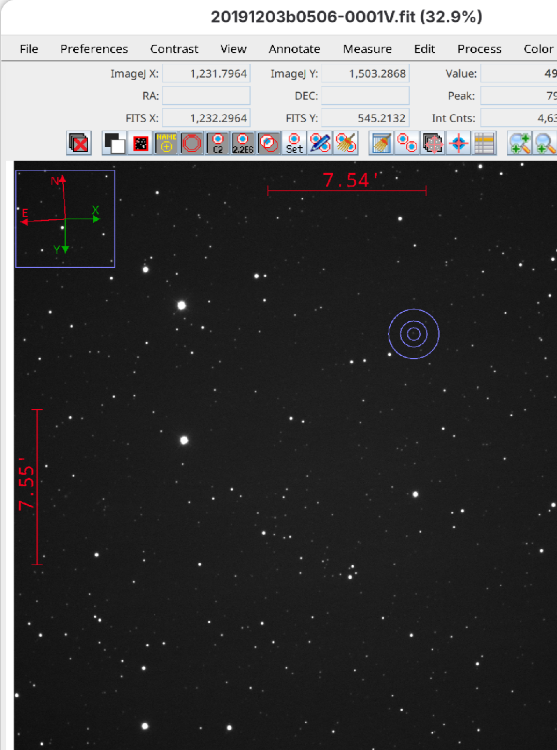
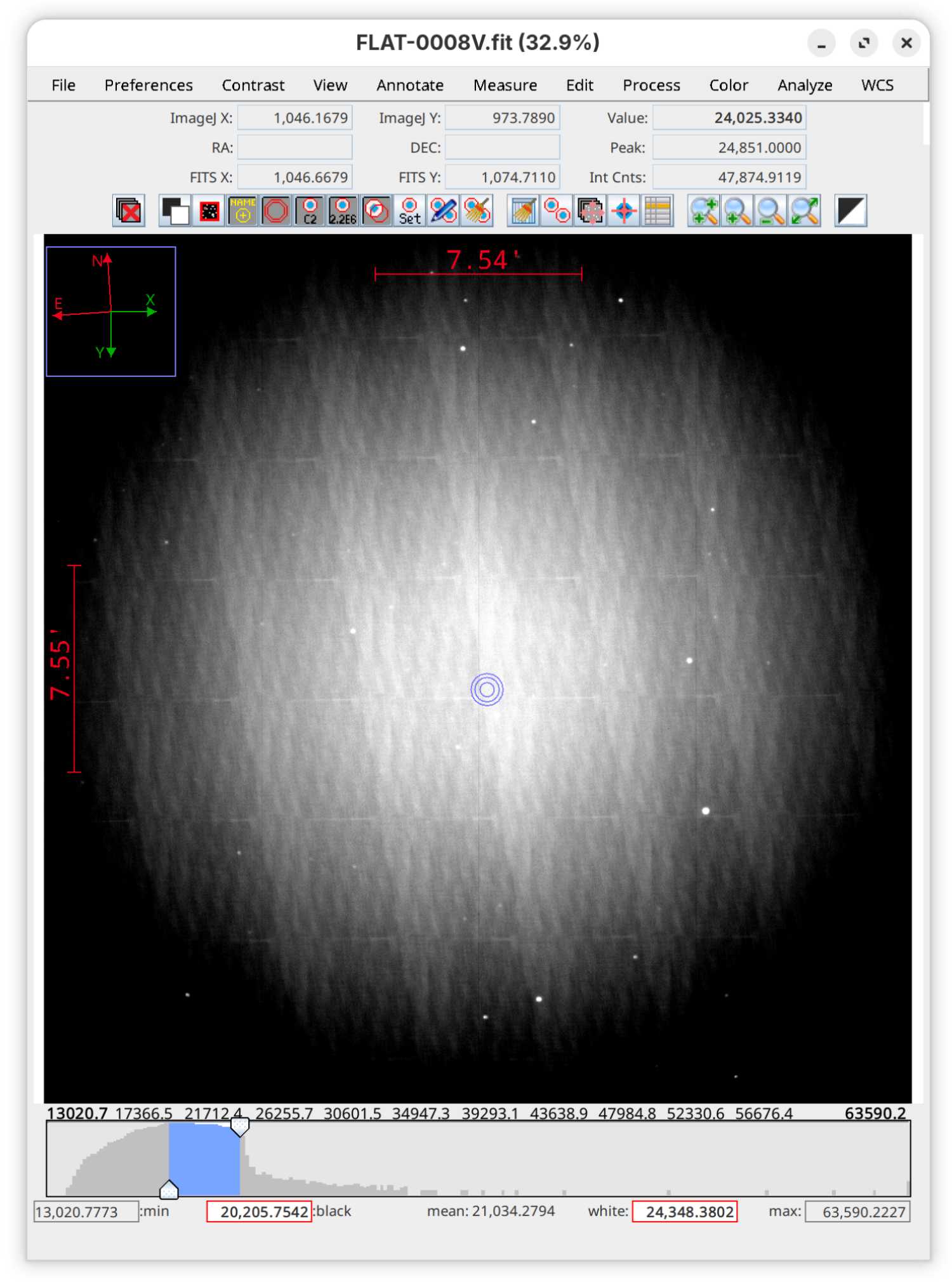
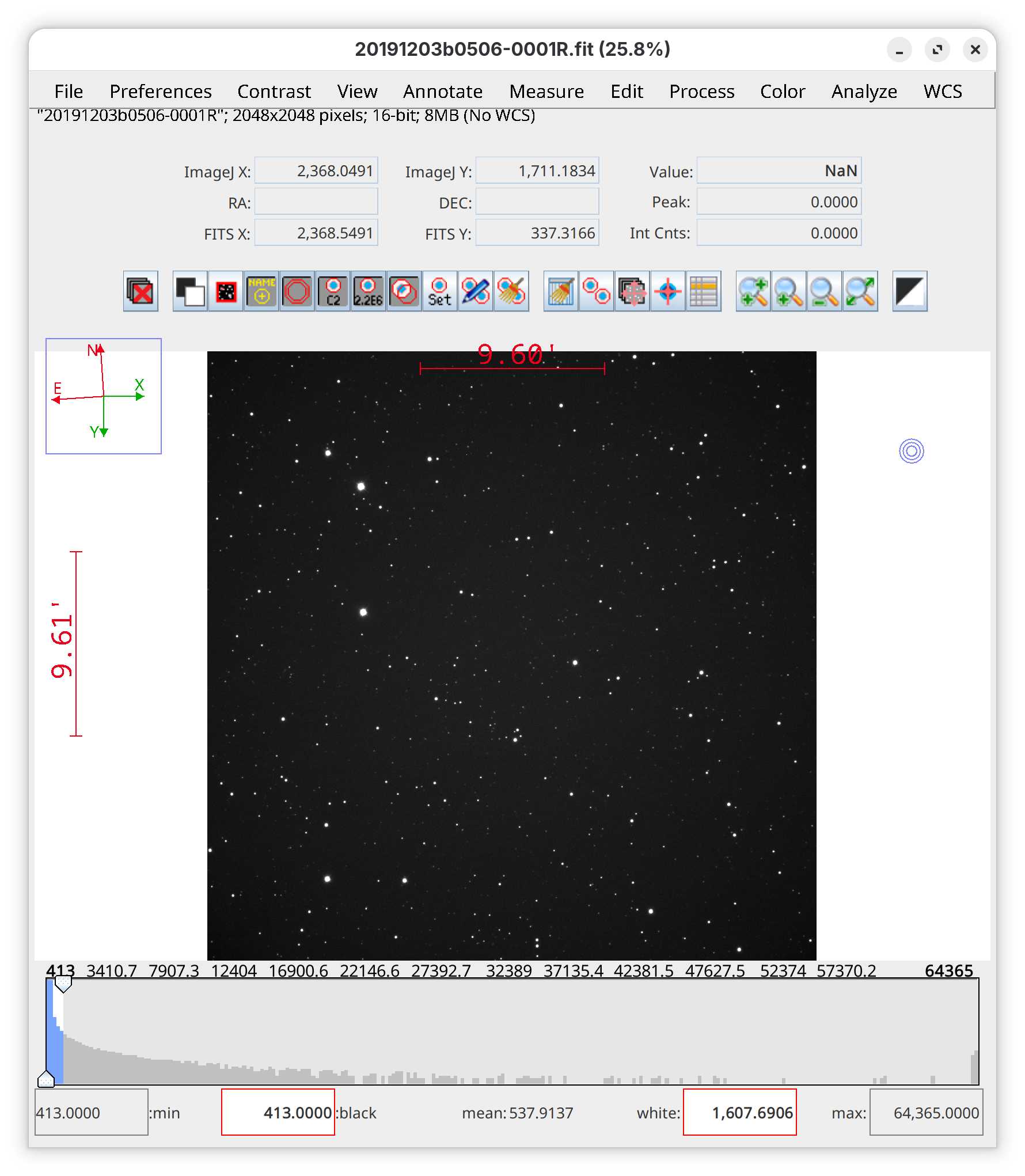
One more problem. When displaying an image, there is no white horizontal bar (under the pull-down menu texts) showing the file name and basic information. So the file names are invisible when in image sequence mode. Also there are some extra space at the bottom of the display window. These are shown in the attached figure.
Reply | Threaded
Open this post in threaded view
|

Re: Tiny window in F44

karenacollins
Administrator
Thank you for the report. The bottom of the image does not appear in the posted image below, so we can't see that artifact. If it will not post properly, please send to my email address posted on the main forum page. I assume you still have the scaling option set in the config file. If so, could you comment it out temporarily and restart AIJ to see if the image display problems persist when unscaled (maybe using some high magnification glasses or similar if needed to see the small windows)? We need to know if the problem is with the scaling, or yet another problem with Wayland compatibility.

Karen
Reply | Threaded
Open this post in threaded view
|

Re: Tiny window in F44

wqso
Thank you for you reply. Here I attached the image again.

Yes, I do have the scaling option. I just set the scaling as 1.0 and started AIJ again. Then I displayed the image and the problem remained.
Reply | Threaded
Open this post in threaded view
|

Re: Tiny window in F44

karenacollins
Administrator
Thank you for the additional testing. We've just pushed daily build 6.0.4.04. It may or may not fix the problem, but would you please update to it and see if the display of the stack information line returns?

Karen
Reply | Threaded
Open this post in threaded view
|

Re: Tiny window in F44

wqso
Hi, I update AIJ to 6.0.4.04 and the problem remains
Reply | Threaded
Open this post in threaded view
|

Re: Tiny window in F44

karenacollins
Administrator
Thank you for testing. Back to the drawing board on our end. We’ll post back here when we have another build to test.
Karen
Reply | Threaded
Open this post in threaded view
|

Re: Tiny window in F44

wqso
Hi Karen,

I noticed the release of 6.0.5.00 and installed it. The display window is attached. The file name is visible now but there seems to be several extra vertical spacing.
Reply | Threaded
Open this post in threaded view
|

Re: Tiny window in F44

karenacollins
Administrator
Thanks for the report. We had to use a new display element to get it to work and we have some residual sizing problems, but your screen grab is very helpful in solving those. We may need you to test again after we’ve tweaked again.
Reply | Threaded
Open this post in threaded view
|

Re: Tiny window in F44

wqso
Hi Karen,

Thanks for version 6.0.6.00. The display is OK now.
Reply | Threaded
Open this post in threaded view
|

Re: Tiny window in F44

karenacollins
Administrator
Thanks for the report. By the way, we have now implemented the scaling support provided at AIJ_Toolbar > Edit > Options > Appearance for all windows except the plot window. in our testing, the quality of the output is better for most scaled windows compared to the config file option scaling method. We are working on vector-based plot window scaling at the moment (to give high quality scaled plots), so you may want to wait if that is important. But, when/if you do test that mode, we'd appreciate any feedback here.

Karen
Reply | Threaded
Open this post in threaded view
|

Re: Tiny window in F44

wqso
Thank you very much for your time and work on AIJ.  I'm expecting the new features of it.

By the way, I updated my F44 beta system and a new display problem showed up. There is only a log window rather than the display window when trying to display a fits image. Here is the content in the log window:

AIJ 6.0.6.00; ImageJ 1.54s; Java 25.0.3 [64-bit]; Linux 6.19.13-300.fc44.x86_64; 180MB of 11586MB (1%)
java.lang.IllegalArgumentException: No outputs available
at ij.astro.util.WaylandMonitors.defaultMonitor(WaylandMonitors.java:99)
at ij.astro.util.WaylandMonitors.centerOnDefaultMonitor(WaylandMonitors.java:56)
at ij.astro.util.WaylandMonitors.centerOnMonitor(WaylandMonitors.java:83)
at ij.astro.util.UIHelper.setCenteredOnScreen(UIHelper.java:82)
at astroj.AstroStackWindow.buildAstroWindow(AstroStackWindow.java:1869)
at astroj.AstroStackWindow.<init>(AstroStackWindow.java:740)
at Astronomy.Astronomy_Listener.imageOpened(Astronomy_Listener.java:53)
at ij.ImagePlus$1.run(ImagePlus.java:3127)
at java.desktop/java.awt.event.InvocationEvent.dispatch(Unknown Source)
at java.desktop/java.awt.EventQueue.dispatchEventImpl(Unknown Source)
at java.desktop/java.awt.EventQueue.dispatchEvent(Unknown Source)
at java.desktop/java.awt.EventDispatchThread.pumpOneEventForFilters(Unknown Source)
at java.desktop/java.awt.EventDispatchThread.pumpEventsForFilter(Unknown Source)
at java.desktop/java.awt.EventDispatchThread.pumpEventsForHierarchy(Unknown Source)
at java.desktop/java.awt.EventDispatchThread.pumpEvents(Unknown Source)
at java.desktop/java.awt.EventDispatchThread.run(Unknown Source)

What's the problem?
Reply | Threaded
Open this post in threaded view
|

Re: Tiny window in F44

wqso
Hi, I'm very sorry. The problem may be related to the Fedora system. I updated the system this morning and the display problem disappeared.
Reply | Threaded
Open this post in threaded view
|

Re: Tiny window in F44

karenacollins
Administrator
Don't be sorry about that! We are super glad to hear that it was fixed with the Fedora release yesteday that replaced the beta version.

-Karen
Reply | Threaded
Open this post in threaded view
|

Re: Tiny window in F44

karenacollins
Administrator
We also implemented a fix in 6.0.7.00, released this morning, which will fix the root of this problem in case it occurs for other reasons in the future.
Reply | Threaded
Open this post in threaded view
|

Re: Tiny window in F44

wqso
That's great! Thank you very much for your work and time on this wonderful software.