How to Disable Automatic Centroiding of Imported Apertures

classic Classic list List threaded Threaded
4 messages Options
Reply | Threaded
Open this post in threaded view
|

How to Disable Automatic Centroiding of Imported Apertures

IanSherman
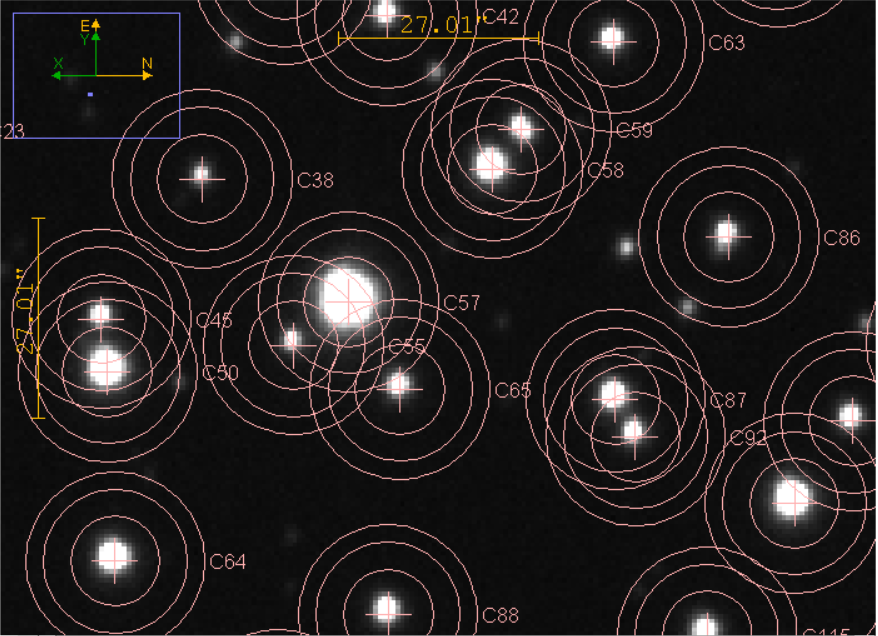
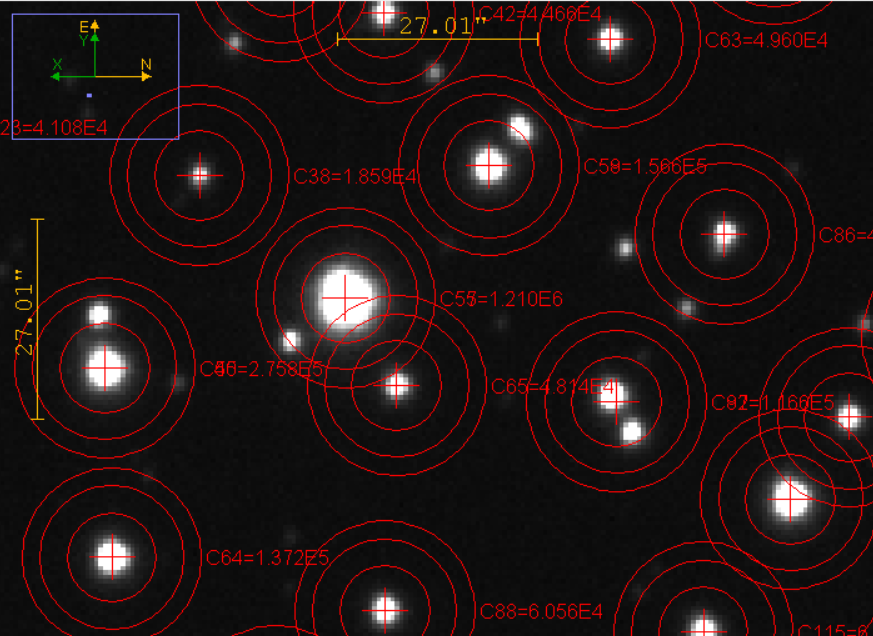
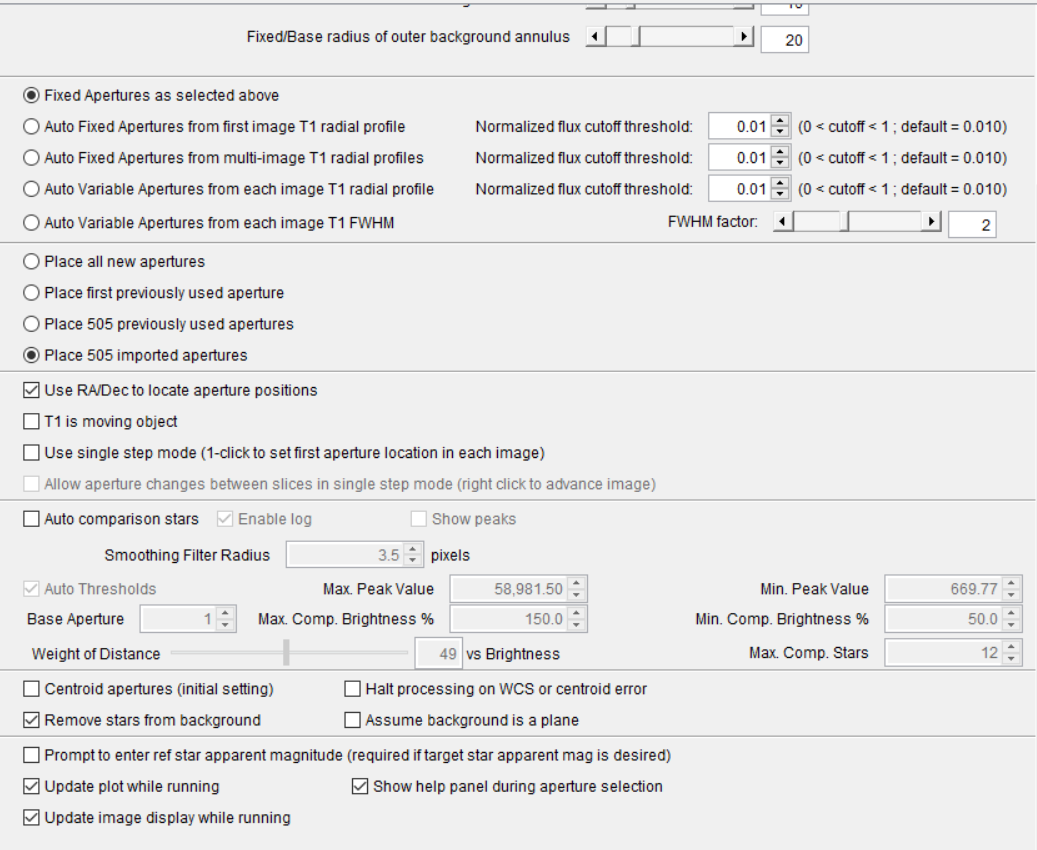
Hello all, my group is working on a project analyzing an open cluster. We have 500 imported apertures whose RA and Dec values have been extracted from GAIA. This field is crowded and as a result when running Multi-Aperture Tool several of the imported annuli are automatically centroided by AIJ away from the imported coordinates - occasionally doubling up on annuli in locations where two stars are in close spatial proximity. I would like to disable this centroiding behavior when running the multi tool, and keep the placed annuli at their RA Dec imported coordinates for ease of future analysis. I am currently running v5.6.0.00, and I have attached three figures below. The first shows the imported annuli over a focused region, the second is the multi-tool placement of those same annuli, and the third shows the multi-aperture measurements settings. Any tips or recommendations would be appreciated.


Reply | Threaded
Open this post in threaded view
|

Re: How to Disable Automatic Centroiding of Imported Apertures

karenacollins
Administrator
When apertures are imported, the centroid setting for each aperture is maintained, no matter how the option "Centroid Apertures (initial setting)" is set. Instead, you'll need to set the state of centroid for each RA/Dec pair in the file. The file format is as below. You'll need at least 4 columns, with the 4th column set to 0 for all rows that you want Centroid disabled.


#RA in decimal or sexagesimal HOURS
#Dec in decimal or sexagesimal DEGREES
#Ref Star=0,1,missing (0=target star, 1=ref star, missing->first ap=target, others=ref)
#Centroid=0,1,missing (0=do not centroid, 1=centroid, missing=centroid)
#Apparent Magnitude or missing (value = apparent magnitude, or value > 99 or missing = no mag info)
#Add one comma separated line per aperture in the following format:
#RA, Dec, Ref Star, Centroid, Magnitude
09:16:55.486, -20:40:34.32, 0, 0, 0.0
09:17:31.242, -20:33:01.51, 1, 0, 99.999
09:16:53.673, -20:28:08.51, 1, 0, 99.999
09:16:11.748, -20:39:01.69, 1, 0, 99.999
09:16:59.381, -20:42:57.47, 1, 0, 99.999
Reply | Threaded
Open this post in threaded view
|

Re: How to Disable Automatic Centroiding of Imported Apertures

karenacollins
Administrator
Also, it looks like you'll possibly need to use a smaller photometric aperture than is shown in your sample image to separate the stars in their respective apertures.
Reply | Threaded
Open this post in threaded view
|

Re: How to Disable Automatic Centroiding of Imported Apertures

IanSherman
Thank you for the reply, I completely misread the description in the RADEC file and did have Centroid flagged as 1. Making this update has solved the problem - thank you for the reply. Additionally, the aperture sizes will change on final analysis, though crowding is a concern for the field in the long term.